

Built for Cordova, Cebu
CLEAR OFFERS.YOUR CHOICE.
Compare proposed prices and terms before accepting an offer.
Find local help.
Offer your skills.
Find and offer services in Cordova, Cebu, with residency verification and reviews from completed work.
Browse services, compare offers, and keep booking progress together.

Too much gets lost between a post and a conversation. Bring requests, offers, and booking progress together in one place.
Compare offers, follow agreed work, and build trust through completed services.
Switch between Seeker and Provider to see what happens on each side.
Discovery & Posting
Browse services available in Cordova, or post what you need and compare offers from local providers.
Payment Choice
Check the service terms, select a supported payment method, and follow the booking instructions.
Delivery & Confirmation
Follow progress in Activity, stay in touch about the task, and confirm the result when the work is finished.
Switch between finding help and offering your services with one account. Your profile, verification, trust history, and messages stay with you.
Keep your service requests, incoming offers, and booking activity together in the Seeker workspace.
Review proposed prices and terms together before choosing an offer.
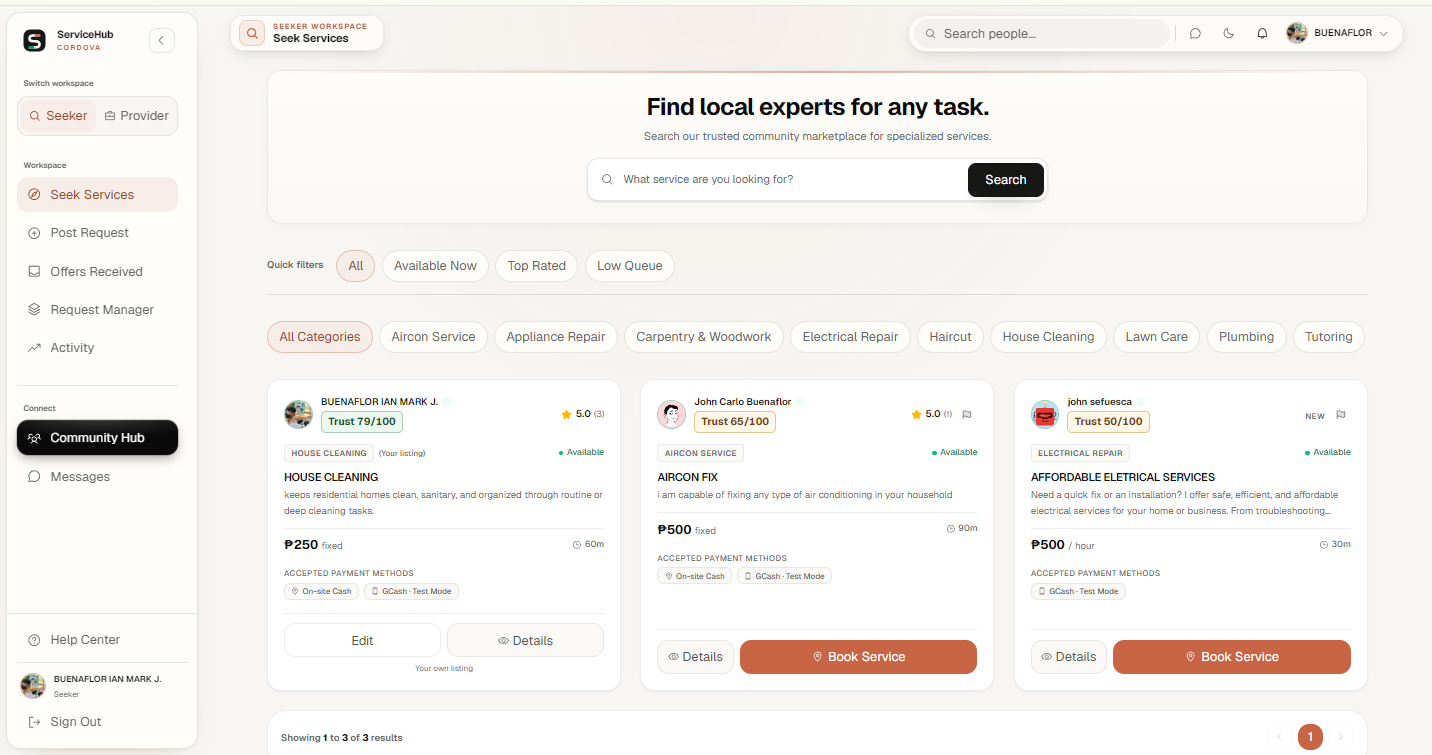
Explore the workspace previews.
These screenshots show example workspace views. Your own listings, offers, and bookings appear after you sign in.
See how a paid booking moves from payment to its place in the provider's workload.
On-Site Cash Stays Outside the Queue
On-site cash is arranged directly with the provider and does not occupy online queue capacity.
Test Mode Payment Confirmed
ConfirmedA booking joins the queue only after its GCash Test Mode payment succeeds.
Added to the Provider's Paid Queue
WaitingPaid jobs from every listing and accepted offer share one first-come, first-served order for that provider.
One Active Job at a Time
In OrderA Provider can work on only one active job and must start the first eligible paid booking next.
Trust profile example
How ServiceHub records trust
Residency status
Verified resident
Check the information behind a profile before deciding who to work with.
Members can browse freely, but must verify their email and Cordova residency before requesting work or offering services.
Trust history reflects verification, completed work, reviews, and confirmed moderation decisions, not paid promotion.
Chat becomes available after a booking is accepted, keeping service conversations connected to the work.
Choose the route that matches the issue. Content reports, booking disputes, and account appeals serve different purposes.
Content reports
Flag a service listing or request that may break the rules.
Booking disputes
Raise a problem with work or payment through the booking so the relevant records can be reviewed.
Account appeals
Ask an administrator to reconsider an account ban through the appeal process.
Help Center
Find instructions for everyday tasks before you need to ask for help.
Follow local service activity in the Community Hub after signing in.
Read announcements and service updates shared by ServiceHub administrators.
Discover published services that were recently added to the marketplace.
Browse public provider profiles and see their active services, ratings, and trust information.
Sign in to explore ServiceHub updates and local service activity.
Sign in to view the Community HubFeedback helps the next person make an informed choice. Here is how it becomes part of a ServiceHub profile.
The provider marks the work complete, then the seeker confirms the result.
After completion, the Seeker and Provider can each leave one review.
The feedback becomes part of the recipient's ratings and trust history.
Answers to the practical questions about publishing, offers, booking acceptance, and Test Mode payments.
Open the Help CenterNo. Eligible Providers can publish a service themselves. If a detail does not meet the listing rules, you will be asked to correct it before trying again.
Get started with a new account, or sign in to continue with the profile you already have.